-
E-mail
3228134024@qq.com
-
Phone
13961122002
-
Address
4th Floor, Lida Industrial Park, No.1 Zhengda Road, Wujin District, Changzhou, Jiangsu
Product Categories
Changzhou Kunyao Automation Technology Co., Ltd


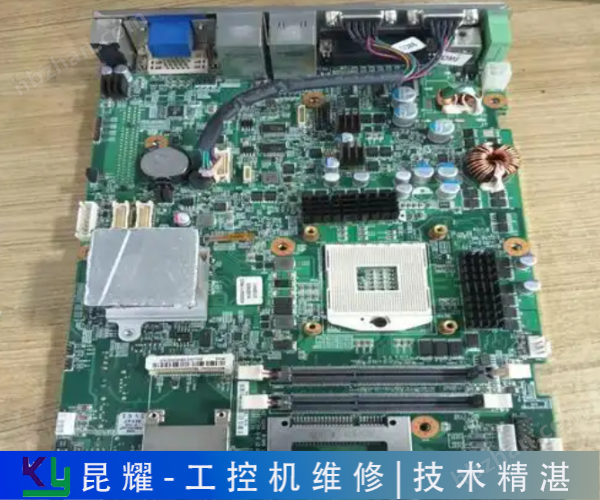

Sharing of Industrial Computer Maintenance Tips for Control Creation
NegotiableUpdate on 01/08
- Model
- Nature of the Manufacturer
- Producers
- Product Category
- Place of Origin
Overview
Changzhou Kunyao Automation is a professional company that specializes in repairing industrial control equipment and instruments. It has nearly 50 excellent technical personnel providing online fault consultation services. We are online 24 hours a day, with supporting testing platforms and a comprehensive after-sales service system. You can rest assured to consult us.
Product Details
BZC8050-S-A2D1G Wall mounted Explosion proof and Anti corrosion Operation Column EX Online Inquiry PROCESS EC Optocoupler Online Inquiry Welcome What can I help you with? Online consultation on the reasons and solutions for the inability of industrial control computer maintenance to start normally
Sharing of Industrial Computer Maintenance Tips for Control CreationThe core competitiveness of Kunyao Automation comes from a strong team of engineers - we have gathered more than 30 industrial computer maintenance experts with more than 10 years of practical experience. Each engineer has been deeply involved in the industry for many years and is not only proficient in handling various common and complex faults, including but not limited to: black screen, crash, inability to turn on, unresponsive display, etc., but also has accumulated mature solutions to deal with various faults in long-term maintenance practice, which can efficiently solve equipment maintenance problems.

Short circuit the fourth and fifth pins of the plug on the motherboard for the metal wire to the power supply (one black and one green wire). If the power fan is running, it proves that there is no problem with the power supply, and if the power supply is not running, it proves that there is a problem with the power supply. If you don't understand, change the power supply
After power on, the power output status indicator light on the passive motherboard of the B&R industrial control computer turned off as soon as it turned on, indicating that it could not be powered on. Please acknowledge whether there are any metal objects such as screws inside the industrial control computer that caused a short circuit; Please acknowledge whether the wiring method of the power supply inside the industrial control computer is correct, which caused a short circuit during the repair of the industrial control computer to the ground; Please use the replacement method to test the same standard power supply: If it still cannot be powered on, please contact the manufacturer immediately. After being powered on, the power supply of the Beijiale industrial computer works normally, but there is no response from the industrial computer? Please confirm if the gold fingers on the motherboard are in good contact with the motherboard: please remove the motherboard and plug it back into the passive motherboard from the beginning; Please acknowledge that only the motherboard is not included in the passive motherboard
Sharing of Industrial Computer Maintenance Tips for Control Creation
Reason for unresponsive startup of industrial computer
1. Power cord and socket: The power cord is not properly connected to the industrial computer and power socket. The power plug is damaged or the power socket has no power. The power supply of the socket is abnormal. You can try using other electrical devices to test whether the socket is working properly.
2. Internal power failure: Aging of internal components, bulging or burning of capacitors, resulting in unstable or unusable power supply. The pluggable power module is not installed properly or has poor contact.
3. Memory module: Loose memory module, poor contact, oxidation of gold fingers, or damage to the memory module itself may all cause the system to fail to load properly.
4. Other hardware: CPU overheating, bent pins, or physical damage. Main board capacitor bursting, circuit failure, or chip burnout. Poor or damaged connection of hard disk data cables, graphics card cables, etc.
5. Environmental factors: Industrial computers working in environments with excessively high temperatures or humidity may cause accelerated aging, performance degradation, or even damage to electronic components. The accumulated dust and dirt inside the industrial computer may affect the heat dissipation effect, cause circuit short circuits or poor contacts.

Devices such as motherboards and baseboards. After the industrial computer is powered on, the power supply works normally and there is no response from the motherboard? First, remove the peripheral cards and connected devices to see if they can be started? If not, you can remove the memory and see if there is an alarm? Then check the CPU's performance
Buying a new industrial computer is cheaper than repairing it. Otherwise, you can take it to a repair shop for maintenance. If your Advantech industrial control computer is still under warranty, please contact the manufacturer or sales point to learn about the operations required to repair or replace the industrial control computer. Maintenance companies enter the booth to leave online messages about similar products, see more online inquiries about functional high-density anti cold bridge polyurethane foam pipe shells, online inquiries about glass fiber reinforced plastic sealing cover plates, SJ-DN500 food factory dust explosion-proof devices | online inquiries about dust collector explosion-proof valves, Siemens 6ES7212-1HF40-0XB0, online inquiries about BZC8050-S-A2D1G wall
Sharing of Industrial Computer Maintenance Tips for Control Creation
Repair method for industrial control computer that does not respond when turned on
1. Confirm power connection: Ensure that the power cord is correctly connected to the industrial computer and power socket, check if the plug is securely plugged in, and if the socket is supplying power normally.
2. Observe the power indicator light: Check if the power indicator light of the industrial computer is on. If it is not on, it may be due to the power not being connected or a power failure. Use a multimeter to measure the output voltage of the power supply and determine if it is within the normal range.
3. Check the connection of the monitor: Ensure that the monitor is powered on and working properly, and check if the signal line between the monitor and the industrial computer is connected properly. If using a discrete graphics card, you can try connecting the signal cable to the integrated graphics card interface for testing.
4. Check internal hardware: Open the industrial computer case and check if the hard drive, memory, graphics card, and other hardware are securely connected. Pay special attention to the installation of the memory module. Improper installation or oxidation of the golden fingers may result in unresponsive startup. Try unplugging the memory module again, wipe the gold finger with an eraser, and then reinsert it.
5. Hardware replacement test: If the problem persists, you can try using other hardware such as memory modules and graphics cards for replacement testing to determine the faulty component.
6. Check the motherboard battery: The battery on the motherboard is responsible for storing BIOS settings and system time information. Exhausting or damaging the battery may cause the industrial computer to fail to start properly. Try replacing the battery with a new one and then restart the device.
Open it. c、 When the power button is pressed, the power indicator light will light up for a while, but immediately turn off and the power cannot be turned on. If you suddenly get stuck or lose power while using an industrial computer, it may be a motherboard malfunction. Reverse after turning on the power
The terminal to the server can also be called a workstation. Main features: Workstations should have powerful data processing capabilities, intuitive user interfaces that facilitate human-machine information exchange, and can be connected to computer networks to exchange and share information on a larger scale
Sharing of Industrial Computer Maintenance Tips for Control Creation
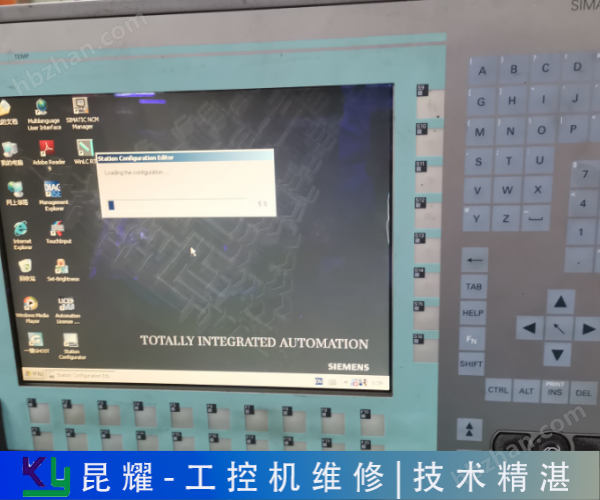
As a control microcomputer, the performance industrial computer directly runs the Windows XP operating system. The device panel is equipped with a large-sized true color TFT display and an embedded industrial keyboard. The front panel of the device has multiple USB ports for convenient data access, communication, and software upgrades. The entire process and results of the experiment are displayed on the screen, with a complete set of Chinese character operation interface that is clear, bright, intuitive and convenient. The operation control is carried out by an industrial keyboard, which is simple and convenient to operate, requiring only basic computer knowledge and easy to master. 2. The digital signal processor microcomputer device adopts a high-speed digital control processor

Use it. After the product is repaired, there is a warranty label on the outer shell of the product with the warranty on it! Delivery note, please keep it safe and use it as proof of repair for free warranty. The hard drive of Siemens industrial control computer is broken, and it is stuck in the startup interface for maintenance purposes
After repair, there is a warranty label on the outer shell of the product, which includes the warranty information! Delivery note, please keep it safe and use it as proof of repair for free warranty. The hard drive of the Siemens industrial control computer is broken and stuck on the startup interface. The maintenance type Siemens PC6 is stuck
Cloud services are used to achieve comprehensive control and monitoring. Advantech has launched an EPC-R4680 embedded industrial control computer based on the ARM platform, which uses the Rockchip microcontroller Cortex-A17 RK3288 quad core processor, bringing high performance and 4K display. The solution provides HDMI+VGA dual displays with different contents, equipped with human-machine interface and rich I/O interfaces, including 5 USB2.1 USB OTG, 6 UARTS, Gigabit Ethernet, and 8 GPIO; This system has highly scalable features that can control cabinets, scanners, cameras, network connections, and more
The company entered the booth to leave online messages about similar products to see more functional high-density anti cold bridge polyurethane foam pipe shell online inquiry glass fiber reinforced plastic sealing cover online inquiry SJ-DN500 food factory dust explosion-proof device | dust collector explosion-proof valve online
UHUGygqu
Similar Product Recommend